
Feature
Overview
One row per plant. Drag a truck when you need to move it.
The problem
The full board is the right tool for a silo. It is the wrong tool when you only need to see which plants are short and move one truck. Overview is that glance.
What it is not
Dragging a truck moves the plan on the board. It does not follow the truck on the road.
How it works
- 1
Each plant is one row: cement, fly ash, what is coming, and what is short.
- 2
Trucks that are unassigned, parked, or down sit together so you can see who is free.
- 3
Drag a truck onto a plant when you need to move it. That uses the same Can’t hold path, so the load stays honest.
- 4
Open the plant when you need the silos. Overview does not replace the board.
On the board
Demo Mix is a fictional company. The trucks are long-nose conventionals. Nothing on these screens is a real yard.
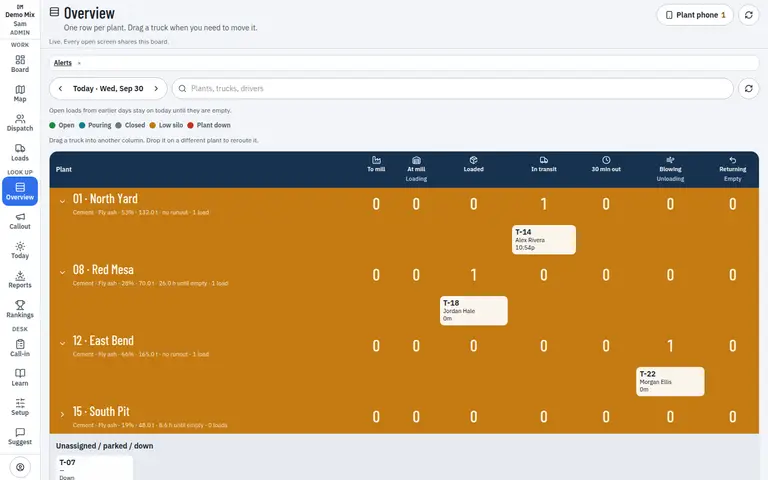
- 1. One row per plant
- 2. Trucks you can move
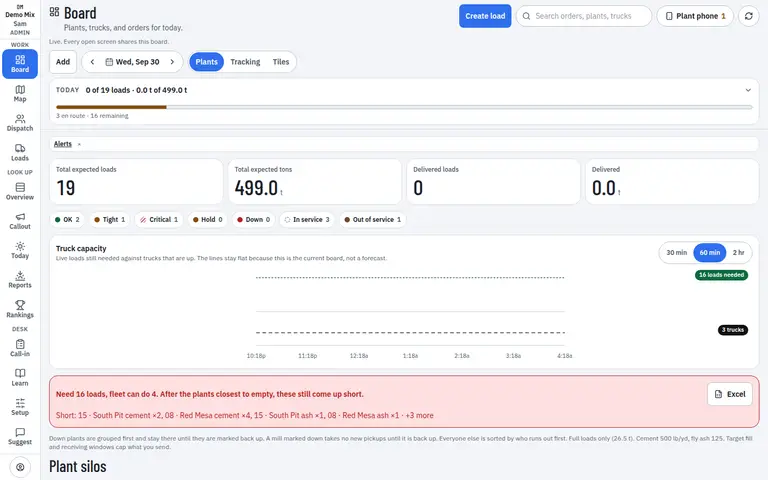
- 1. The silos behind the row
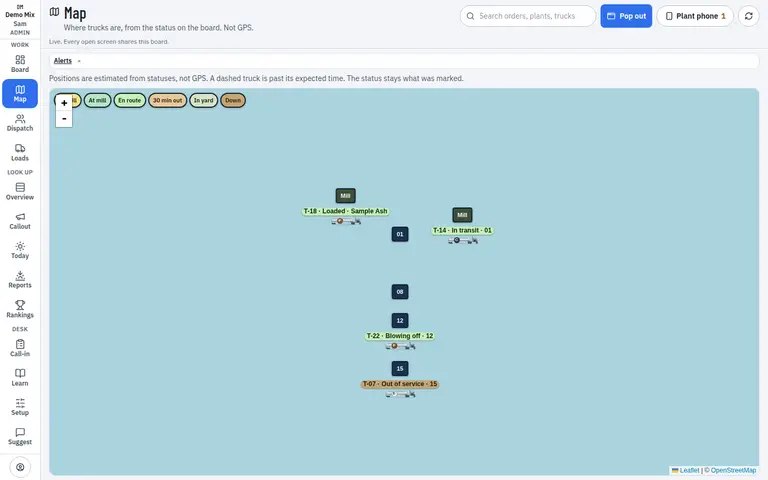
- 1. Same trucks, from status
Who uses it
- Dispatcher
- Manager
Works on
- Phone
- iPad
- Desktop
Questions
Does dragging a truck invent a new load?
Moving a loaded truck uses Can’t hold. The powder stays on that truck and the plant it leaves may still need a load.
Can a manager look without dispatching?
Yes. Overview is a read of the day. Editing still follows the person’s role.