
Feature
Can’t hold it
A loaded truck the plant cannot take. Send it where there is room, or hold it.
The problem
The truck is loaded and the silo is full. Calling around for a plant that still has room, while the driver waits, is the job this button is for. The powder stays on the truck. The plan changes.
What it is not
The board does not unload the truck or invent room in a silo. It lists plants that can take the material from what you already entered. You choose where it goes.
How it works
- 1
On a loaded truck, open Can’t hold – reroute.
- 2
Say how much room is left, or enter the reading you were just given.
- 3
The board lists other silos that can take that material, with drive time and how short they are.
- 4
Send it, hold it at a plant, or park it. The load keeps a note of where it was turned away.
On the board
Demo Mix is a fictional company. The trucks are long-nose conventionals. Nothing on these screens is a real yard.
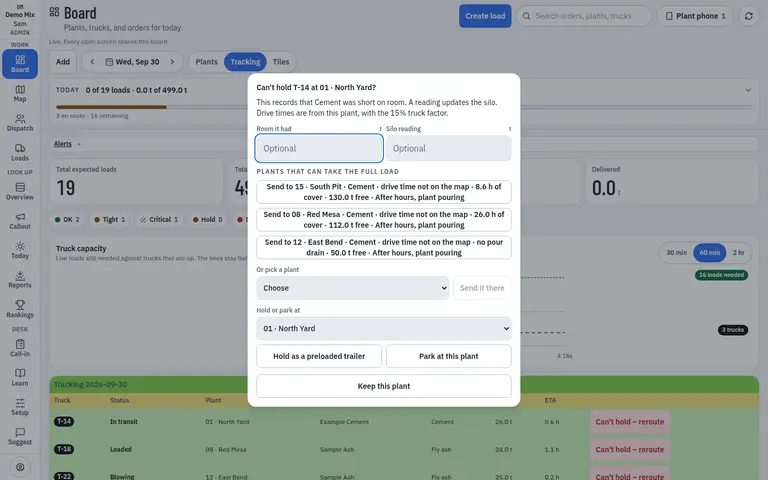
- 1. Where it can go
- 2. Room they told you
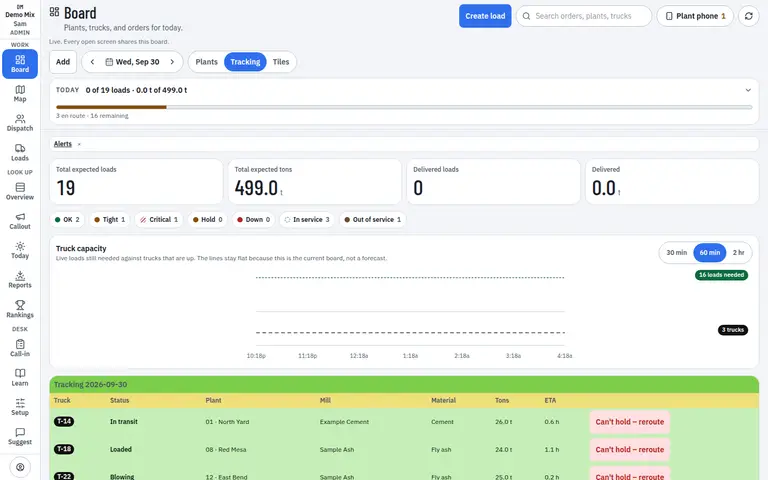
- 1. Can’t hold on the load
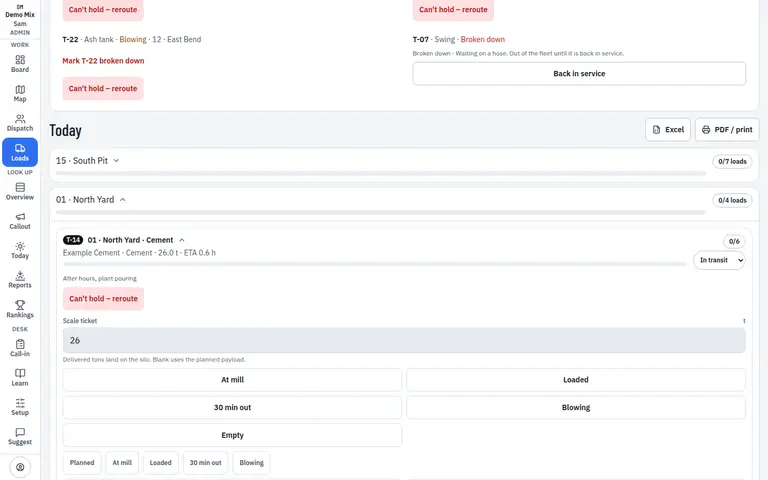
- 1. Open it from the load
Who uses it
- Dispatcher
Works on
- Phone
- iPad
- Desktop
Questions
Does the truck unload first?
No. Can’t hold is for powder that is already on the truck. You are choosing the next silo, a hold, or a place to park.
What if nowhere has room?
Hold it or park it. The plant you left may still need a later load. The board does not pretend the silo took the powder.