
Feature
Address and business search
Type an address or a business name and keep the pin the drive time will use.
The problem
Haul time is only as good as the pin. Typing a street into a notes field does not give the map a place to start, and a business name is how dispatchers actually talk about a mill.
What it is not
Search finds an address or a business so you can drop a pin. It is not live traffic, and it does not move a truck.
How it works
- 1
On a plant or a mill, type the street or the business name.
- 2
Pick a suggestion. The pin is saved with that yard.
- 3
Drive times use the pin. They do not look the words up again on every load.
- 4
Search stays near the service area, so a lookalike street in another state does not win.
On the board
Demo Mix is a fictional company. The trucks are long-nose conventionals. Nothing on these screens is a real yard.
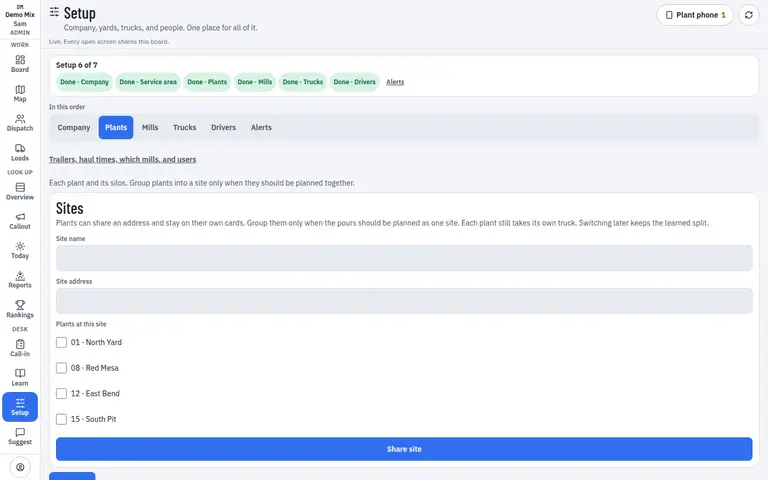
- 1. Saved plant address
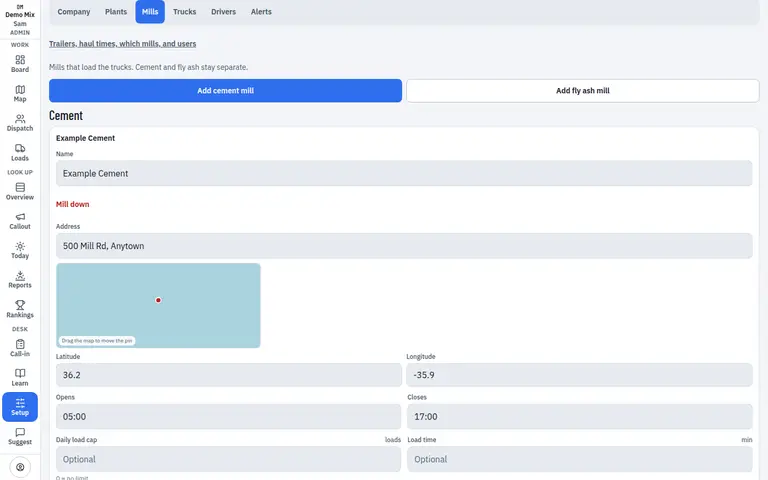
- 1. Mill pin
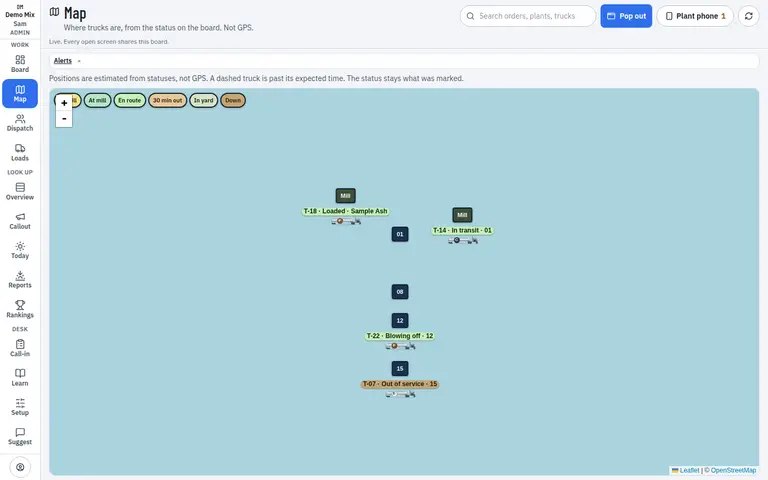
- 1. Pins the search saved
Who uses it
- Dispatcher
- Manager
Works on
- Phone
- iPad
- Desktop
Questions
Can I search a business, not just a street?
Yes. A mill’s name can find the yard, and the address is what gets stored.
What if I move the pin by hand?
A hand-set pin stays until you pick a different suggestion. Editing the words does not throw it away.