
Feature
Truck board
Who is at the mill, on the road, or blowing off. The status stays what was marked.
The problem
The day falls apart when the truck list and the silo list are two different pieces of paper. You need one board that says which truck is on which load, and a status that does not change itself because somebody typed a guess later.
What it is not
The status does not move itself unless you turn status advance on. The default is that a person marks it. A late mark is kept on the load and is not treated as if it happened on time.
How it works
- 1
Each load has a truck, a driver, a mill, a plant, and a silo.
- 2
The status is what was marked: Planned, At mill, Loaded, In transit, 30 min out, Blowing, Delivered, or Cancelled.
- 3
Plants, tracking, and tiles are three ways to look at that same day.
- 4
A status entered long after the fact is kept, but the board does not learn a haul time from it.
On the board
Demo Mix is a fictional company. The trucks are long-nose conventionals. Nothing on these screens is a real yard.
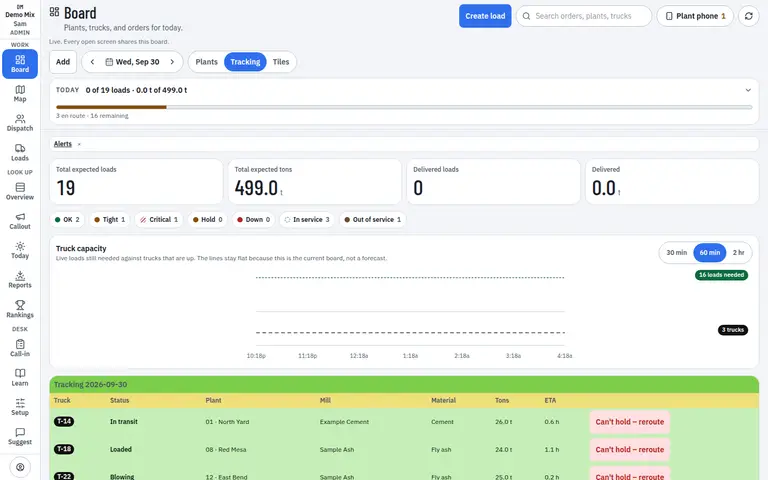
- 1. Status that was marked
- 2. Truck on the load
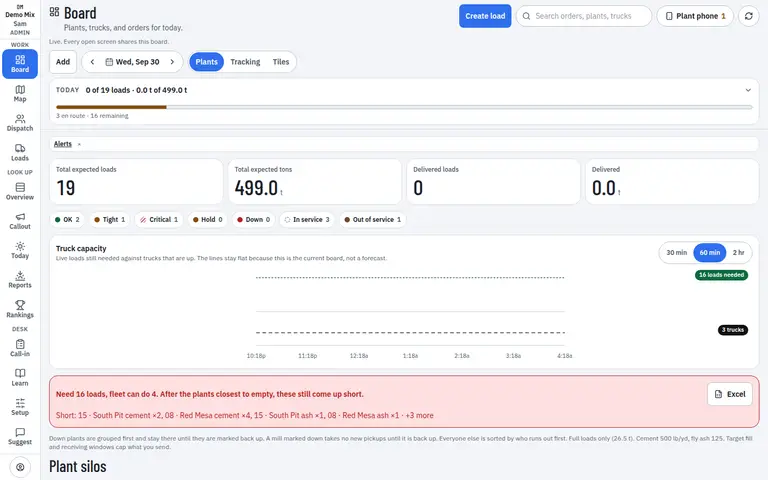
- 1. Loads beside the silo
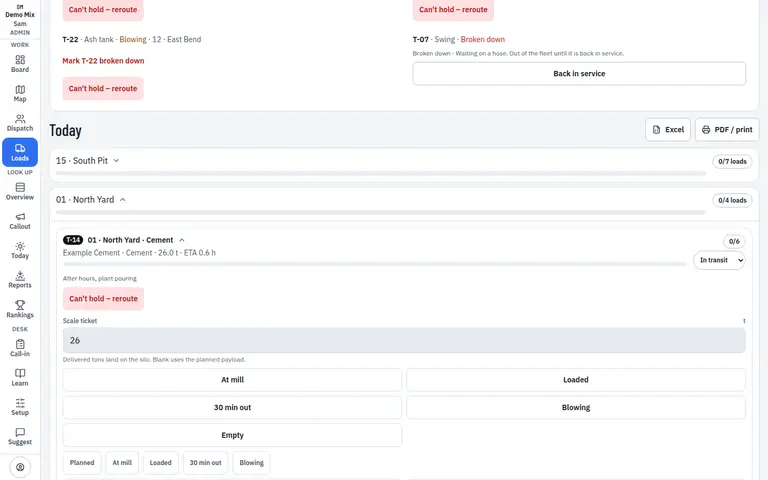
- 1. The order
Who uses it
- Dispatcher
- Manager
Works on
- Phone
- iPad
- Desktop
Questions
Will the status move on its own?
Only if you turn on status advance, and even then a late tap is not treated as a live one. The default is that a person marks it.
Can I see the day as tiles?
Yes. Plants, tracking, and tiles are views of one board, not three copies.