
Feature
Loads
Put a truck, a mill, and a silo on an order and move it as the day happens.
The problem
An order is not a row in a spreadsheet. It is a truck, a trailer, a mill that can load it, and a silo that can take it, on a clock.
What it is not
You put the truck, the mill, and the silo on the order. The board does not create the next load on its own.
How it works
- 1
Create a load from the board. Pick the plant, the silo, the mill, and the truck.
- 2
Uncovered loads, a trailer that has to be recovered, and a preload before the mill closes stay visible.
- 3
Open the load to change the status, the ticket tons, or to start a reroute.
- 4
Delivered loads stay on the day so the totals and the learning have something real to use.
On the board
Demo Mix is a fictional company. The trucks are long-nose conventionals. Nothing on these screens is a real yard.
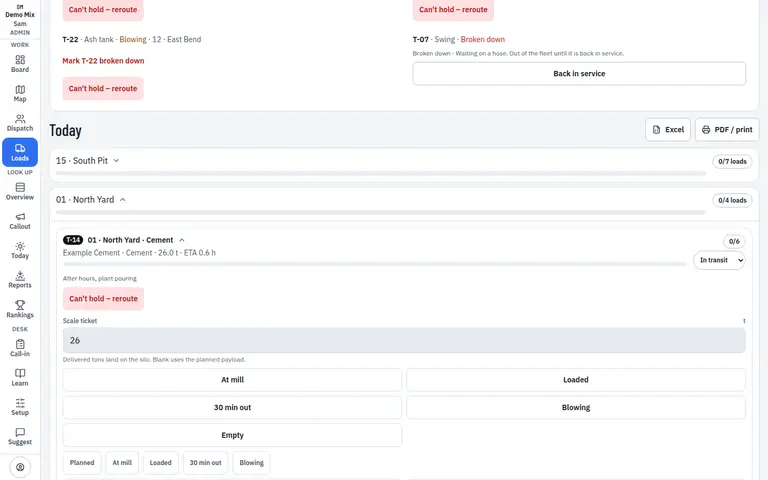
- 1. The load
- 2. Still uncovered
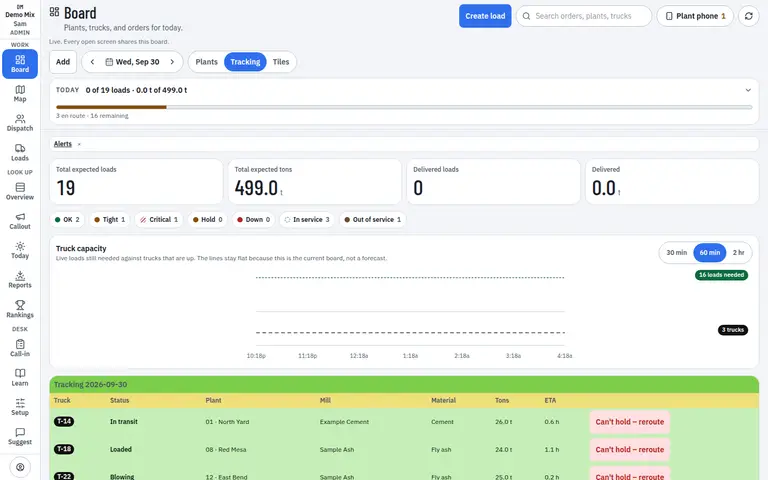
- 1. Status on the truck
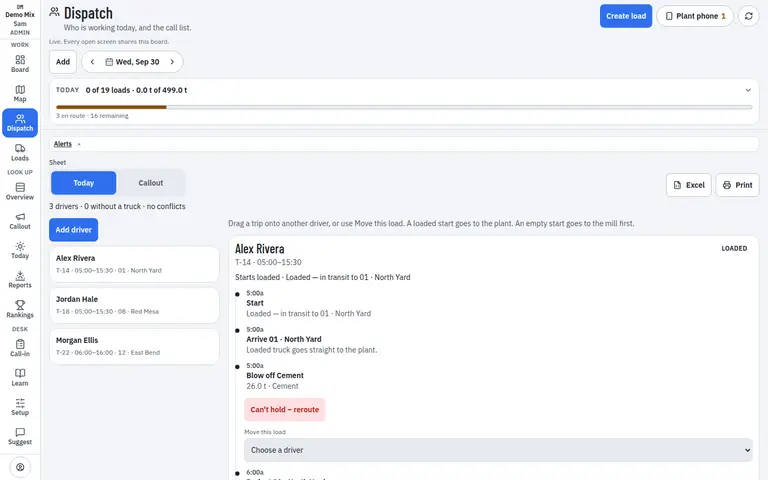
- 1. Who can take it
Who uses it
- Dispatcher
Works on
- Phone
- iPad
- Desktop
Questions
Can I preload before the mill closes?
Yes. The loads screen calls out a preload so powder is on a trailer before the mill’s window ends.
What is an uncovered load?
A load whose truck cannot take it, often because that truck is down. It stays on the list until someone covers it.